

Signal Sprint
Timed reasoning drills with an explained debrief — seven skill families, four difficulty tiers, and no account required.
Runs on the publisher's computer
Sby Spartacus lab 2 installsTry continues without an account. Install requires an active AirCode Ø account, then securely continues on the creator-hosted app.
About this app
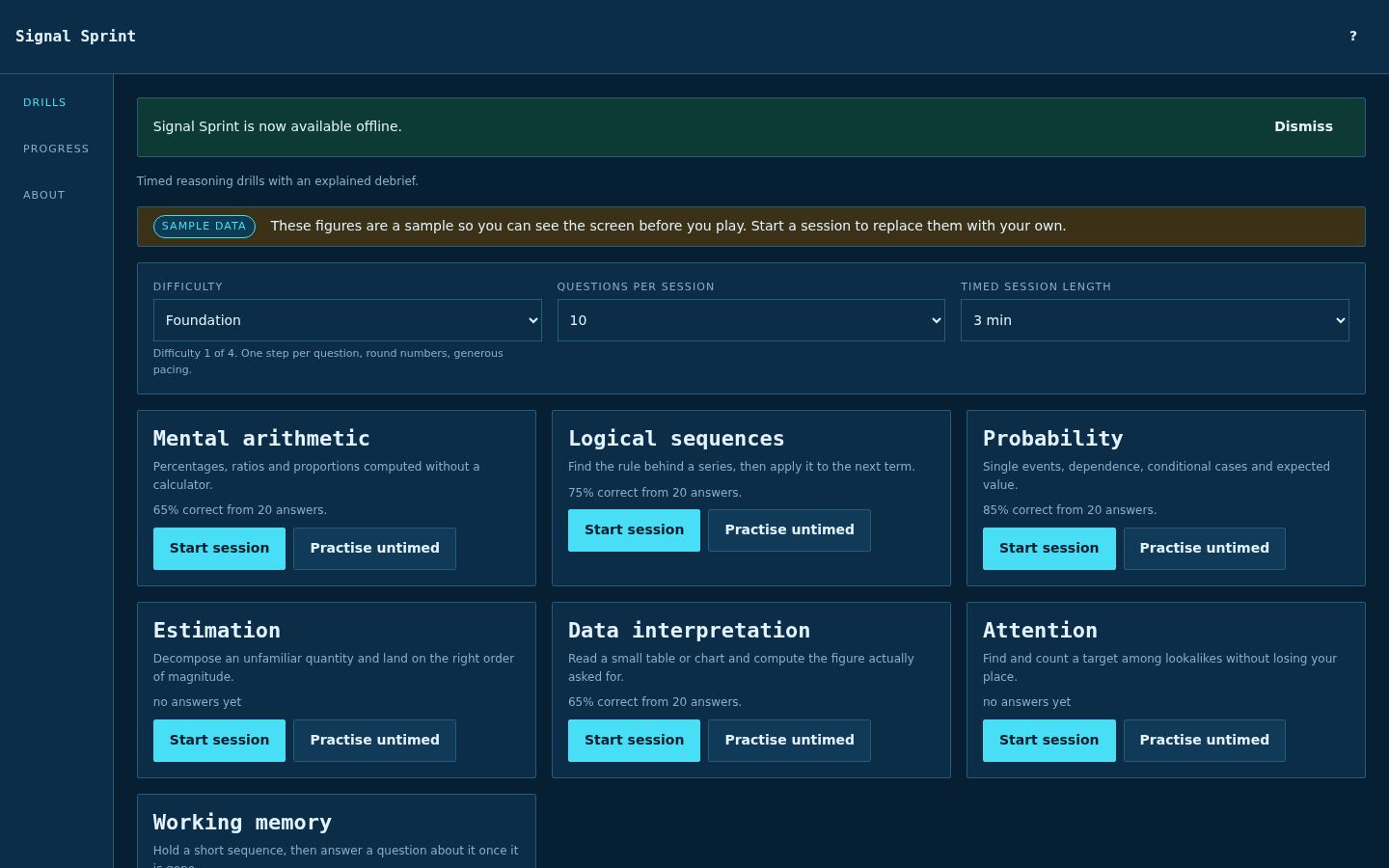
Signal Sprint turns short pockets of time into focused mental practice. Pick a drill family — mental arithmetic, logical sequences, probability, estimation, data interpretation, attention, or working memory — set the difficulty from Foundation up to Quant Trial, choose how many questions you want, and start. Every family can be run against the clock or practised untimed, and each question ends with the method rather than just the answer. Your results stay with you. The app tracks accuracy per family so you can see where you are sharp and where you are not, and it opens on sample figures so the screen makes sense before your first session. Every question is generated and every result is stored in your browser. There is nothing to sign up for; the publisher-hosted app must be reachable when you open it.
AI build activity
No build statistics shared
What makes it useful
Made for real work
Warm up with a two-minute arithmetic or probability sprint before a meeting or a study block.
Work untimed through estimation and data interpretation questions when you want the method, not the stopwatch.
Check your per-family accuracy to decide which skill deserves the next session.
Captured product
See how it works
The home screen lays out all seven drill families with a one-line description and your current accuracy for each. Difficulty, questions per session and timed session length sit at the top, so you can go from Foundation practice to a Quant Trial sprint in a couple of clicks.
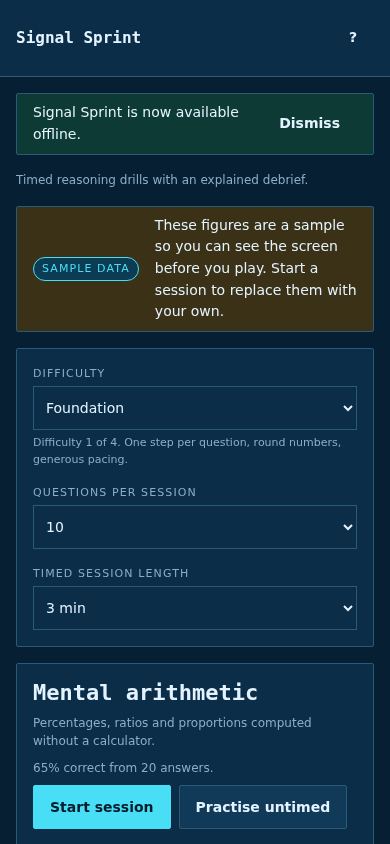
On a small screen the drill list, difficulty selector and session controls stack into a single readable column, with Start session and Practise untimed available on every family — handy for a quick round away from the desk.
Works on your screens
Creator-hosted application
This listing and its captures are hosted by AirCode Ø. The live app runs on the creator's own machine and may have its own accounts or data policy. Marketplace publication does not mean the source code was reviewed or certified.