Get

Product examples

Start with the job.
See where AirCode Ø changes the workflow.

These examples follow complete tasks instead of isolated features. Each one shows where the agent runs, how you stay in control, and what remains available when you change screens.

Start with the core workflow Read the quickstart

Example 01

Multi-screen continuity

Leave the desk, not the session.

Launch from whichever client you have, let the agent keep working on your machine, respond when it needs you, and reopen the same state somewhere else.

The job

Update the authentication flow in payments-api, migrate session storage, and run the integration suite.

Host
Developer workstation
Launch client
Web, desktop, mobile or CLI
Return client
Any connected AirCode Ø client
Notification
Android, browser, desktop, ntfy or Slack
  1. 1
    Open the project from any client

    Choose the project, engine, provider, model and initial prompt.

  2. 2
    Let the agent continue on the host

    Closing a client does not stop the tmux or ConPTY session.

  3. 3
    Receive the request for input

    AirCode Ø signals that the database migration needs approval.

  4. 4
    Answer from the device in front of you

    Review the request and respond without recreating the environment.

  5. 5
    Resume the complete workspace

    Return to the chat, terminal, files and Git diff from another client.
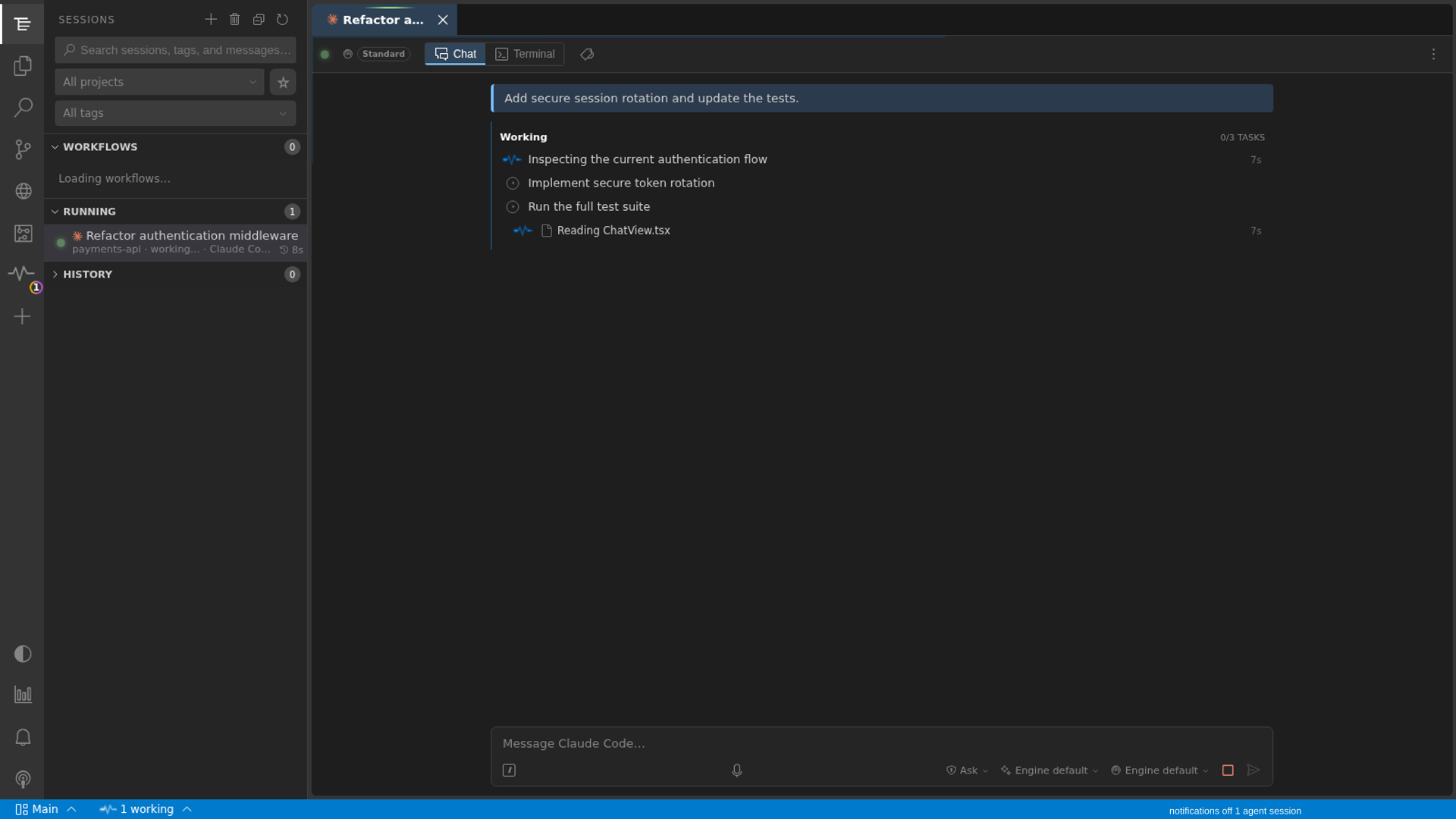
Real product capture The active session and its task progress remain on the AirCode Ø host.
Live AirCode Ø coding-agent session with task progress and terminal controls

What changes: remote control is part of the session itself. There is no second terminal to reconstruct and no transcript to copy between devices.
Example 02

Multi-engine · multi-provider

Compare approaches on the same project.

Create separate sessions for the same task and choose each engine/provider stack independently. The sessions stay isolated while the project remains easy to inspect.

Session A Claude Code
Provider
Anthropic
Runtime
Local
Session B Codex
Provider
OpenAI
Runtime
Local
Session C Gemini CLI
Provider
Google
Runtime
Docker

The job

Ask several agents to identify the cause of a concurrency bug and propose the smallest safe fix.

Shared prompt Review the session locking path. Explain the race, propose a minimal fix, and add a regression test.
  1. 1
    Create one session per approach

    Choose an engine, provider, model and runtime for each session.

  2. 2
    Keep the work visible in separate tabs

    Follow task state, tool activity and questions without mixing transcripts.

  3. 3
    Compare evidence, not just answers

    Inspect the actual tests, terminal output and Git diffs produced by each session.

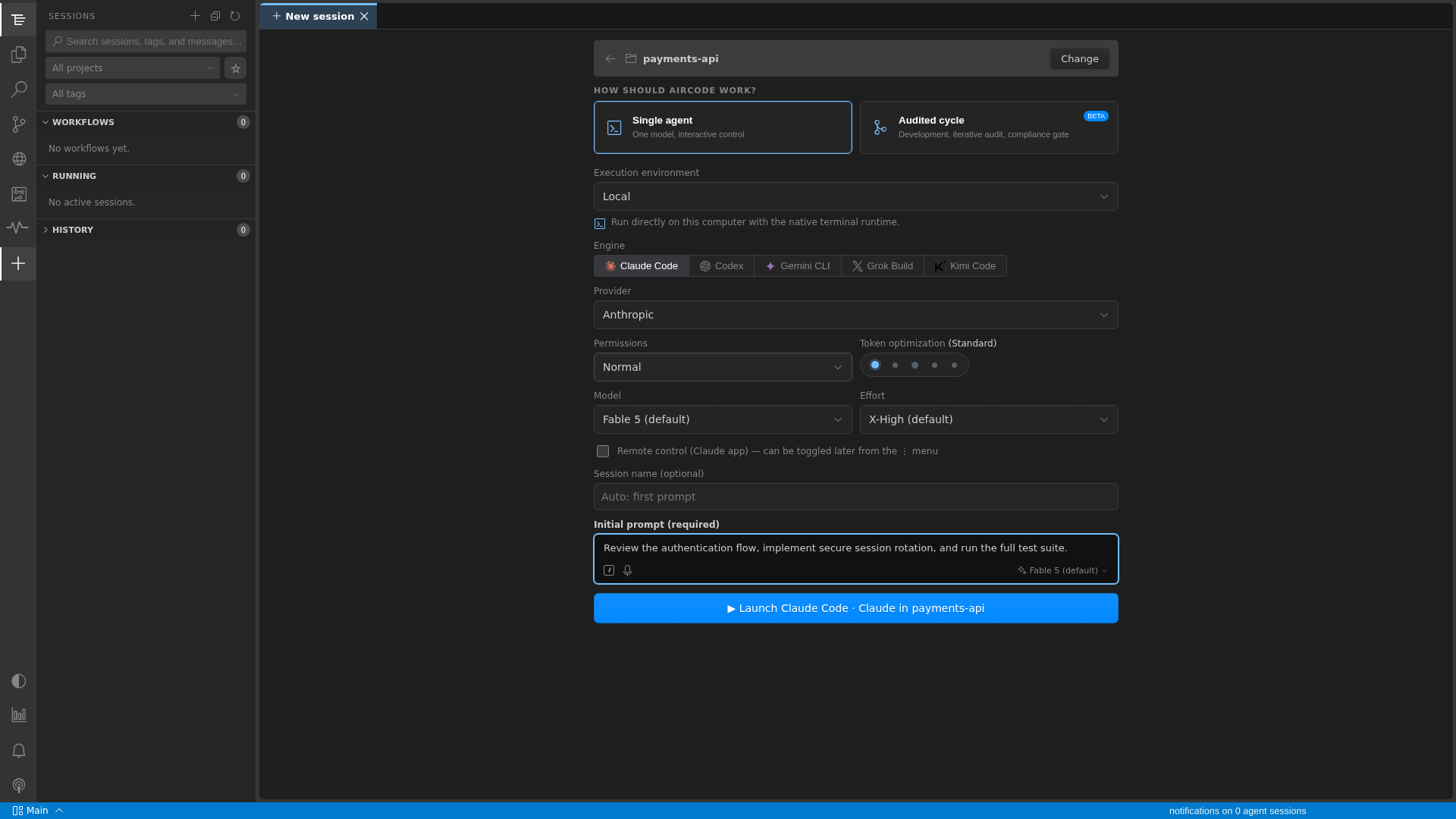
Real product capture Engine, provider, model, effort and runtime are session-level choices.
AirCode Ø launch form showing independent engine, provider, model, effort and runtime controls

What changes: trying another agent no longer means rebuilding the remote workflow. Each session gets its own stack and remains available in the same workbench.

Example 03

Browser + Git

Debug the interface and the code together.

Give the agent a browser connected to the same task, keep sensitive interactions under human control, and inspect the resulting code changes without leaving the workbench.

app.localhost/settings
Shared browser
Workspace settings
Console TypeError: cannot read properties of undefined
Agent inspects Human takeover Agent resumes
Git diff2 files changed
- const workspace = data.workspace
+ const workspace = data.workspace ?? emptyWorkspace
+ expect(renderSettings()).not.toThrow()

The job

A settings page crashes only after a particular navigation path and authenticated request.

The browser illustration shows the workflow; the controls and diff are representative demo data.

  1. 1
    Reproduce in the shared browser

    The agent can inspect the page, console and visible state.

  2. 2
    Take over when the step is sensitive

    Handle login, approval or CAPTCHA yourself, then return control.

  3. 3
    Review the fix beside the evidence

    Inspect Git changes and test output before accepting the result.

What changes: the agent, browser state, human intervention and Git review stay attached to one continuous task.

Example 04

Knowledge

Bring the right history into the next task.

Search across project files, conversations, notes, decisions and dependencies, then reuse the relevant context with its source still visible.

The job

A new agent needs to change session expiry rules without undoing an earlier security decision or duplicating work from a previous conversation.

SearchWhy is refresh-token rotation set to 30 days?
  1. 1
    Search the connected project

    Find relevant files, decisions, notes, dependencies and prior sessions.

  2. 2
    Inspect the source

    Verify where each result came from before relying on it.

  3. 3
    Continue with focused context

    Bring only the useful material into the agent session.

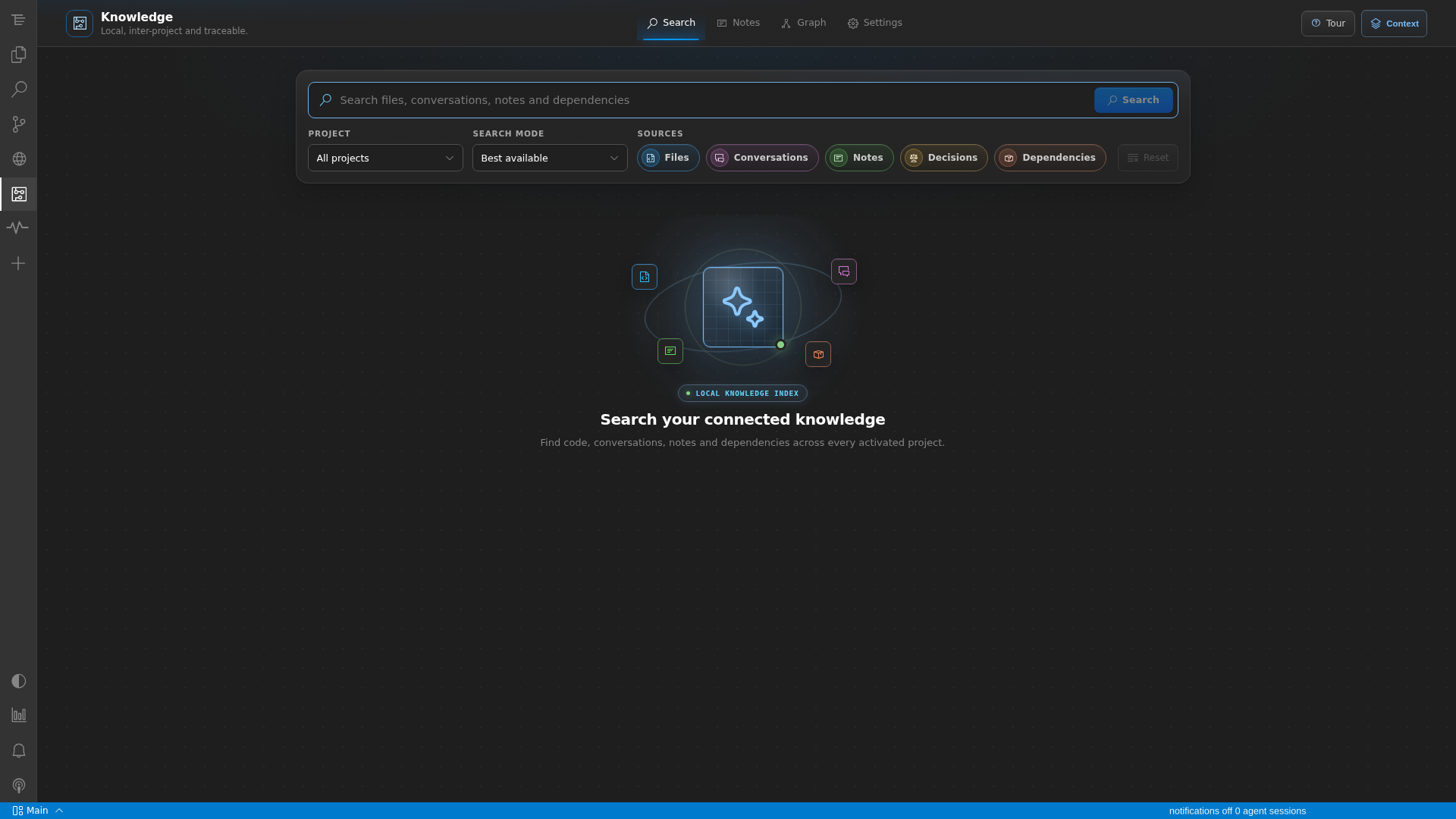
Real product capture Knowledge search across files, conversations, notes, decisions and dependencies.
AirCode Ø Knowledge search with project sources and filters

What changes: project memory becomes searchable and reusable without turning every new prompt into an untraceable context dump.

Try the workflow

Use the client you have.
Keep the session you started.

AirCode Ø is currently in private beta. Downloads appear only after release and signing checks pass.

View available downloads Open the quickstart